The main Nispo screens, one by one: from the compliance dashboard to the integrations. These are real platform screens, with demo data.
The same screens, on your own Microsoft 365 tenant data. In 30 minutes.
Book a demoYour NIS2 status on a single screen
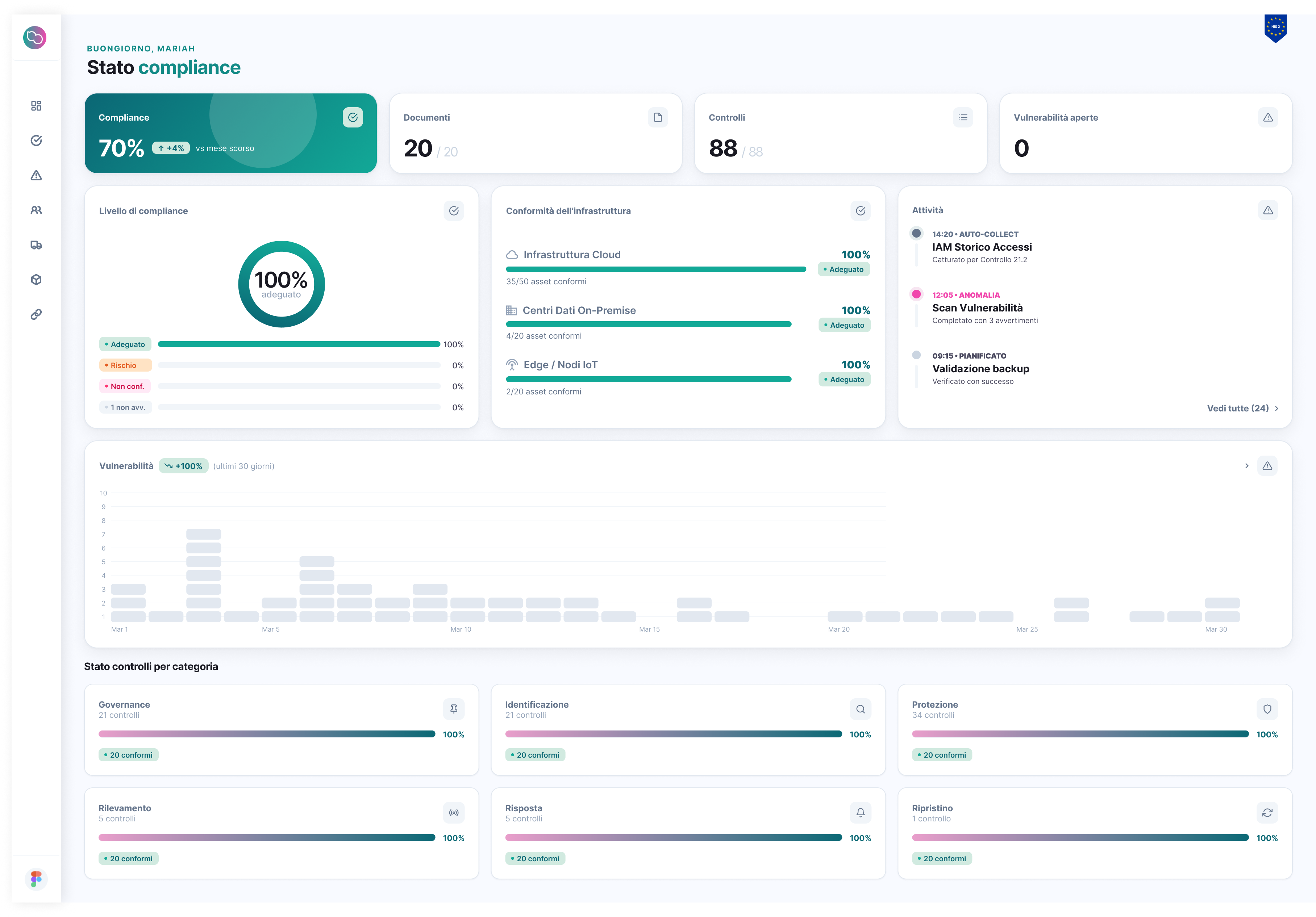
Compliant controls, controls under review and not started, documents, recent activity and status by area. The dashboard updates with automated checks and with your team’s work.
Real platform screens, with demo data
The screens, in brief
-
Your NIS2 status on a single screen
Compliant controls, controls under review and not started, documents, recent activity and status by area. The dashboard updates with automated checks and with your team’s work.
-
Policy templates, with review status
The required policies and plans (information security, business continuity, access control, suppliers, incident response, acceptable use): download the template, adapt it, approve it and upload the valid version.
-
Hardware, software and services: know what you own
Devices, applications and services in a single inventory, with an owner for every item. Users, devices, licences and cloud resources come from the integrated systems; the rest is entered manually.
-
The control register, with automated or manual verification
Each requirement with code, area, verification type and status. For integrated systems (Microsoft 365 / Entra ID, Google Workspace, AWS, Google Cloud) Nispo checks the controls and records the evidence; the others are updated with your team’s evidence.
-
People, roles and permissions
The list of people involved in security, with roles and granular permissions: each member sees only what they need.
-
CSIRT Italia bulletins, inside the platform
Alerts and bulletins published by CSIRT Italia sync automatically, grouped by day, with a link to the source.
-
The integrations that feed the checks
Microsoft 365 / Entra ID, Google Workspace, AWS and Google Cloud: the integrations feed automated control checks and the inventory. Alongside them, the CSIRT Italia bulletins from ACN.
A 30-minute demo on your Microsoft 365 tenant. We’ll show you your real gaps and where to start.